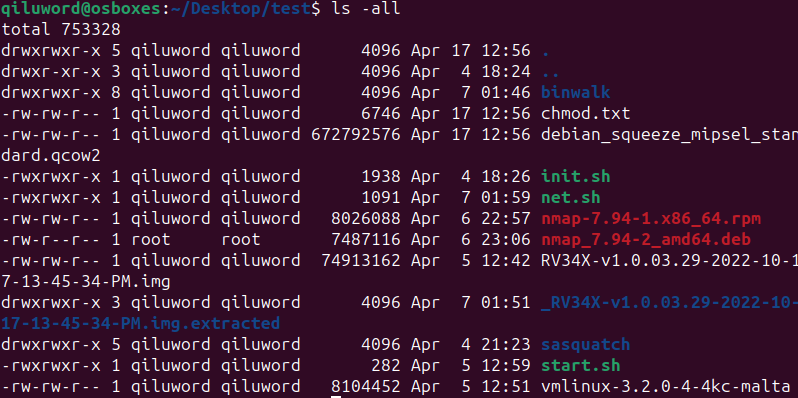
In Linux OS, when we use the command ‘ls -all’, we will see characters like r, w, x, as shown in the following image:
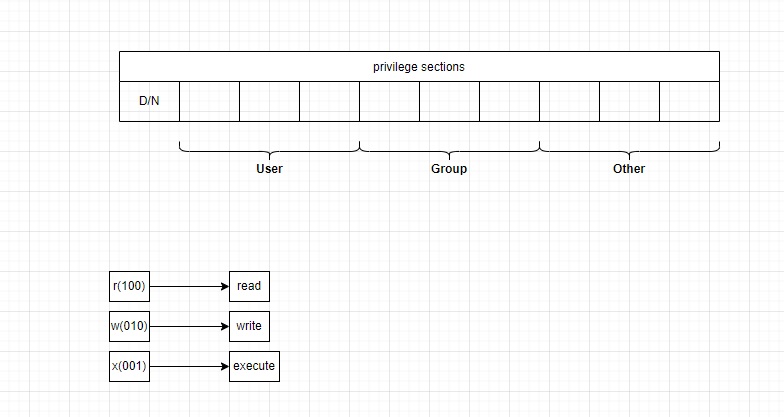
When I explain the following image, you will understand all about the permissions:
Let’s consider an example:
1 | drwxrwxr-x 8 qiluword qiluword 4096 Apr 7 01:46 binwalk |
The first ‘d’ means this is a directory. The first part ‘rwx’ indicates that the user who owns it has read/write/execute permissions, and the second part ‘rwx’ indicates that other users in the file’s group have read/write/execute permissions. The third part ‘r-x’ indicates that other users not in the file’s group have read/-/execute permissions.
By the way, we often see commands like this: ‘chmod 777 ./rootfs’. This means the first part, where the rwx bits are all 1, indicates that this directory has read, write, and execute permissions for all users.”